
Managing enterprise WiFi deployment across multiple properties is fundamentally different from running a single network. You’re juggling coverage, security, bandwidth, and consistency across locations that may have completely different infrastructure.
At Clouddle, we’ve seen organizations struggle with this exact problem. The good news is that with the right planning and strategy, you can build a network that scales without falling apart.
Planning Your Network Foundation
Start by counting devices, not locations. Most organizations underestimate the number of concurrent connections their network must handle. A mid-size office with 200 employees might have 400+ connected devices when you factor in laptops, smartphones, tablets, printers, IP cameras, access control systems, and IoT sensors. According to SNS Insider, an estimated 3.8 billion Wi-Fi devices shipped in 2023, and this growth shows no signs of slowing. When scaling across multiple properties, this device proliferation multiplies quickly. You need a baseline assessment that captures peak usage patterns, not just average load. Schedule your site survey during busy hours, identify which applications consume the most bandwidth, and document which areas experience dead zones or interference. This groundwork prevents costly redesigns later.
Hardware vs. managed services trade-offs
The upfront cost barrier is real. SNS Insider data shows that the lifetime cost per laptop user averages around USD 1,700 when you factor in access points, controllers, cabling, and installation labor. For multi-property deployments, this scales rapidly. You face a critical choice: invest heavily on-premises hardware and absorb the operational burden, or shift to a consumption-based model. Network as a Service (NaaS) simplifies how hardware and software technologies are managed and consumed, enabling greater speed, agility, and scale. With NaaS, you pay for guaranteed outcomes rather than managing infrastructure yourself. This approach accelerates deployment across multiple sites because your provider handles provisioning, monitoring, and continuous tuning. The economics strongly favor NaaS when you’re rolling out to five or more properties, since the operational complexity grows exponentially with each location.
Channel planning and AP density requirements
Wi-Fi 6 and 6E adoption is accelerating across enterprise deployments. Wi-Fi 6E’s exclusive 6 GHz band reduces network congestion and improves enterprise performance, while both standards support higher device density through MU-MIMO and OFDMA, reducing latency in crowded spaces like conference rooms and lobbies. If you’re deploying across multiple properties with different building layouts, standardize on Wi-Fi 6/6E hardware to ensure consistent performance and simplify long-term maintenance. A comprehensive site survey using AP-on-a-stick testing reveals exactly how many access points each property needs and where they should sit. Don’t guess. High-density areas like auditoriums or cafeterias require more APs per square meter than open offices. Once you establish the baseline design for your first property, replicate it across subsequent locations with adjustments for building-specific factors. This consistency reduces troubleshooting time and ensures users experience the same quality of service regardless of location.
Standardizing hardware across properties
Selecting the same hardware brands and firmware versions across all locations simplifies maintenance and reduces support complexity. When your team works with consistent equipment, they develop expertise faster and troubleshoot issues more efficiently. You also gain leverage with vendors on pricing and support terms when you commit to standardized deployments. This approach doesn’t mean every property looks identical-building layouts and user density vary-but the underlying technology stack remains uniform. Standardization also protects your investment in staff training and documentation, which transfers directly to faster rollouts at new locations.
Moving from pilot to multi-site rollout
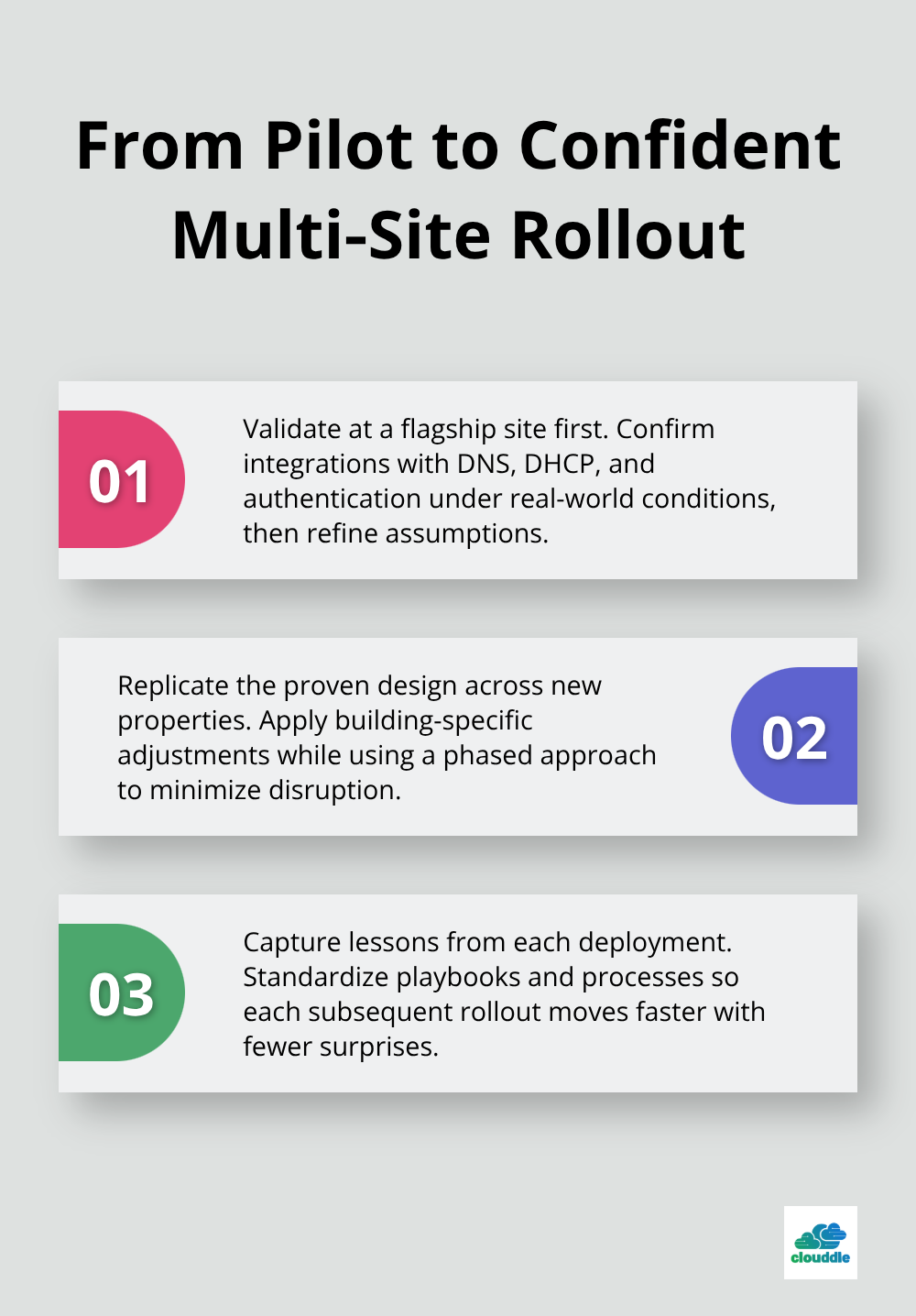
Test your design at one flagship property before expanding to others. A pilot deployment validates your integration with existing infrastructure (DNS, DHCP, authentication servers) and confirms that your design assumptions hold up in real-world conditions. Once the pilot succeeds, you can replicate the proven design across additional properties with confidence. This phased approach minimizes disruption and lets you refine processes before scaling. Each successful deployment teaches you something about your specific environment, and those lessons compound as you expand.
The next chapter covers how to maintain consistent performance and coverage across all these locations once they’re live.
Centralized Management and Monitoring Across Locations
Centralized management transforms how you operate WiFi across dispersed locations. Instead of managing each property independently, you control everything from a single dashboard. This matters because network management complexity grows exponentially with scale.
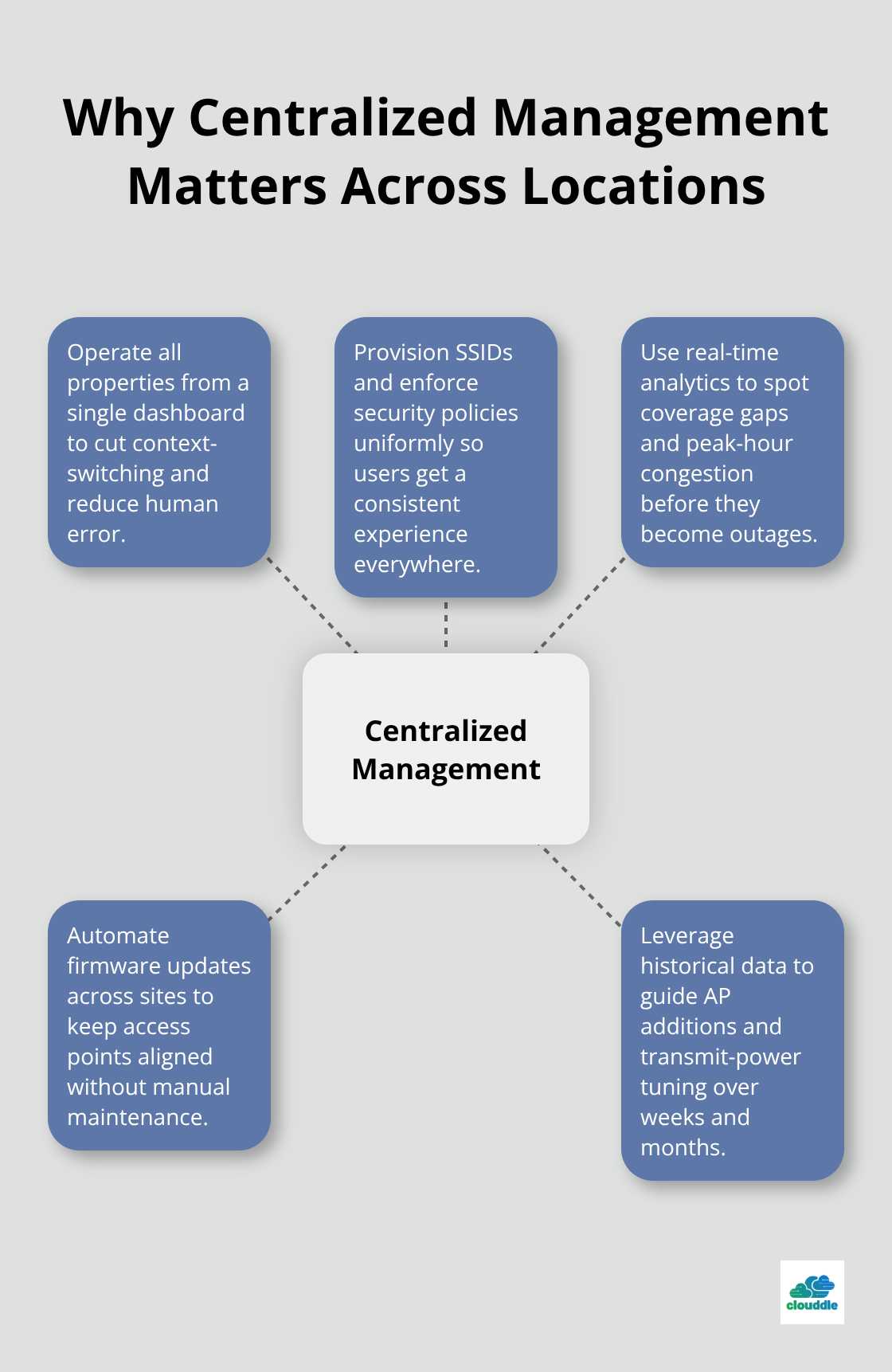
According to SNS Insider, as organizations expand WLAN deployments across multiple sites, specialized IT skills and ongoing monitoring become critical bottlenecks. A cloud-based management portal eliminates the need to log into separate systems for each location, reducing operational friction and human error. When your team provisions access points, adjusts security policies, and monitors performance across all properties simultaneously, troubleshooting becomes faster and more consistent.
Real-time visibility into coverage gaps, capacity constraints, and security incidents across locations prevents small problems from becoming major outages. Demand heat mapping and signal strength analytics from your management platform, not just basic status indicators. These tools show exactly where dead zones exist and which areas experience congestion during peak hours. With historical data spanning weeks or months, you identify patterns that inform where to add APs or adjust transmit power. Cloud-managed platforms also handle firmware updates automatically across all properties, eliminating the manual coordination nightmare of updating dozens or hundreds of access points separately.
Achieving Consistent User Experience Across Properties
Centralized management enables consistent user experience. When an employee moves between your office in Chicago and your facility in Atlanta, they expect the same SSID, the same authentication method, and the same bandwidth quality. Achieving this consistency across properties requires unified policy enforcement, which is impossible without centralized control. Users don’t distinguish between locations when they complain about slow WiFi. They simply remember that your network failed them. This is why ensuring identical performance standards across all properties isn’t optional.
Start by establishing service-level agreements that reflect peak usage patterns at each location, accounting for differences in device density and application mix. A hospital emergency department has different requirements than a corporate office, and your SLA should reflect those distinctions. Monitor the same metrics everywhere: uptime percentage, latency for business-critical applications, and bandwidth availability during peak hours. Standardized AP placement across similar property types ensures that the design validated at your pilot location translates directly to new deployments. Don’t allow individual property managers to customize their WiFi designs based on personal preference. Consistency requires discipline.
Implement automated failover mechanisms so that if an access point fails, nearby APs expand coverage seamlessly without user intervention. Test roaming performance regularly by walking a device across your network during peak usage times. Poor roaming creates obvious problems like dropped video calls during transitions between access points.
Enforcing Security Policies Uniformly
Security integration across multiple properties either strengthens your entire network or becomes your biggest vulnerability. Weak segmentation at one location exposes sensitive data across all locations. Implement contextual role-based access control where user permissions depend on device type, location, and authentication method, not just username. An employee accessing from a company laptop in your main office should have different network privileges than someone connecting from a personal tablet at a satellite location.
Deploy 802.1X network access control integrated with your directory services so that only authenticated devices can access corporate resources. This requires proper infrastructure at every property, which is why standardization matters. If one location runs an older authentication server while another uses a modern RADIUS implementation, you create gaps where security becomes inconsistent. Rogue access point detection should operate continuously across all properties, alerting your team instantly if unauthorized networks appear.
Isolate IoT and guest traffic from employee networks using separate SSIDs and VLANs at every location. Real-time threat detection with AI-driven monitoring identifies anomalies before they become breaches. Your security team shouldn’t spend time manually reviewing logs from each property separately. Centralized analytics reveal patterns that individual property monitoring would miss, like coordinated attacks or unusual access attempts across multiple locations simultaneously. These security policies get enforced consistently across all properties without requiring your IT team to maintain separate configurations at each site.
Moving Forward with Consistent Operations
With centralized management and unified security policies in place, your network operates as a single cohesive system rather than isolated islands. This foundation prepares you for the next critical challenge: maintaining that performance consistency when properties have vastly different physical characteristics, user densities, and application requirements.
Common Challenges and Solutions in Enterprise WiFi Rollout
Network congestion across multiple properties appears deceptively simple until you deploy across multiple locations and watch it compound. When you add a second location with 300 concurrent devices, you don’t just double your bandwidth problem. You multiply the complexity of managing traffic across different building types, user behaviors, and application mixes. The real issue emerges during peak hours when conference calls, video streaming, and file transfers collide. Your access points become saturated not because they lack capacity, but because traffic prioritization fails.
Managing Network Congestion and Bandwidth Issues
Quality of Service policies that work perfectly at your pilot location often need adjustment at properties with different device distributions or user density. A hospital with IoT medical devices and telemedicine requires fundamentally different QoS tuning than a corporate office. Implement separate traffic classes for voice, video, and data at every location, but test your configuration during actual peak usage at each new site before you declare deployment complete. Don’t copy policies verbatim from one property to another.
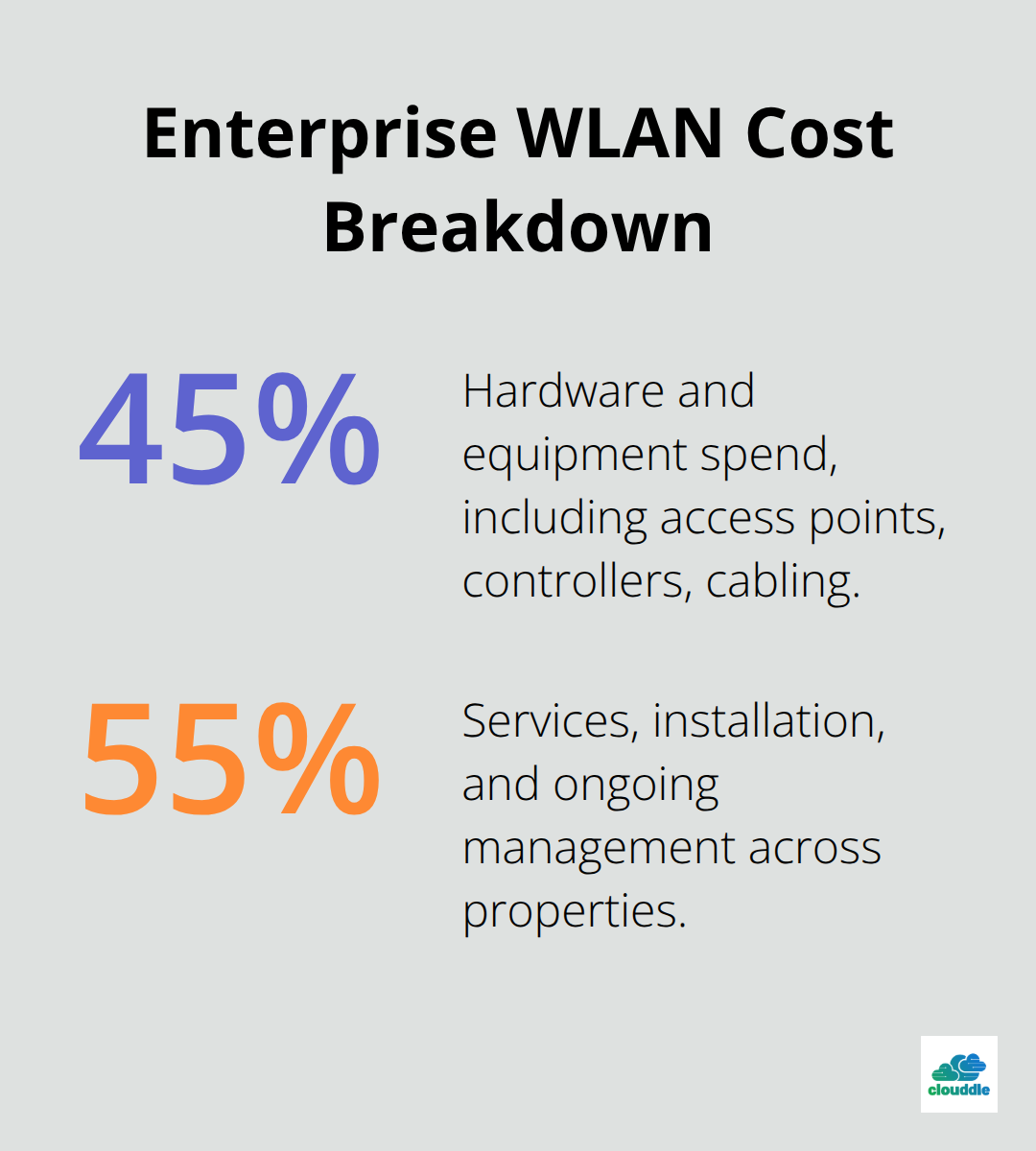
Bandwidth constraints also emerge from unexpected sources. A single property with poor fiber connectivity can bottleneck traffic for all connected devices. Verify that backhaul capacity at each location matches your AP capacity before deployment. An AP rated for 2.4 Gbps throughput becomes worthless if fiber to that building maxes out at 500 Mbps. According to SNS Insider, hardware represents roughly 45 percent of enterprise WLAN deployment costs, but the remaining 55 percent covers services, installation, and ongoing management. Those service costs spike dramatically when you deploy to properties with incompatible infrastructure or inadequate backhaul planning.
Addressing Compatibility Across Different Property Types
Compatibility issues across different property types demand pragmatic solutions that resist the temptation toward one-size-fits-all thinking. A retail store with high-density customer foot traffic needs different AP placement and transmit power than a warehouse with sparse device usage. Wi-Fi 6 or 6E deployment in dense environments provides more reliable connections across more users and devices without slowing down critical applications. Don’t assume your flagship office design translates directly to satellite locations without modification.
Conduct site surveys at each property to identify building materials that absorb or reflect RF signals differently. Concrete walls, metal framing, and floor composition all affect propagation patterns. Your team must also account for interference from adjacent properties, nearby cell towers, and environmental factors unique to each location. Some properties may have legacy network infrastructure that complicates integration. Older DHCP servers, DNS configurations, or authentication systems create unexpected friction during rollout. Test integration thoroughly at each new location rather than assuming it will work because it succeeded elsewhere.
Reducing Downtime During Implementation
Downtime during implementation represents perhaps the most visible failure mode. Users tolerate slower WiFi temporarily, but they resist outages that prevent work entirely. Staged rollouts matter enormously here. Deploy new access points in parallel with existing infrastructure, allowing both systems to operate simultaneously while you validate coverage and performance. Only then switch user traffic to the new network. This parallel deployment approach adds complexity and cost upfront but prevents the catastrophic scenario where your entire network fails during cutover.
Plan for at least 48 hours of dual-system operation at each property before you decommission old equipment. Maintenance windows should occur during lowest-usage periods, which vary significantly across property types. Your headquarters might have minimal traffic at 2 AM on Sunday, while a hospital operates at full capacity 24/7. Communicate maintenance schedules weeks in advance to property managers and key users. Document exactly which systems depend on WiFi at each location so you can prioritize restoration if problems occur.
Test your rollback procedure before you need it. If the new network fails during cutover, your team must revert to the previous configuration in minutes rather than hours. That capability separates controlled deployments from emergency firefighting.
Final Thoughts
Scaling enterprise WiFi deployment across multiple properties succeeds when you treat it as a system rather than isolated projects. The foundation starts with honest assessment of your current infrastructure, realistic cost projections, and commitment to standardization across locations. Pilot deployments validate your design assumptions before you commit resources to rolling out across five, ten, or fifty properties, while centralized management eliminates the operational chaos that emerges when each location runs independently.
Long-term success requires treating WiFi as an evolving system, not a one-time installation. Your network requirements will change as device counts grow, applications become more demanding, and new technologies emerge (Wi-Fi 7 will eventually replace Wi-Fi 6E). Budget for ongoing firmware updates, periodic hardware refreshes, and continuous monitoring rather than treating deployment as a finish line.
We at Clouddle understand that managing enterprise WiFi deployment across dispersed properties demands more than just technology. Clouddle’s Network as a Service combines networking, security, and managed support without requiring upfront capital investment, allowing you to scale across properties at your own pace while maintaining consistent performance and security.


0 Comments