
Yes, you can use two modems with one router, and for many properties, it’s a setup that moves your internet from a frustrating cost center to a powerful asset. For anyone managing property-wide WiFi in apartment buildings, student housing, or build-to-rent communities, this configuration is a game-changer. It tackles the two biggest internet headaches—slow speeds and outages—head-on, giving you the reliability that standard single-modem solutions just can't match.
Why a Dual-Modem Setup is the New Standard for MDU Connectivity
As a property manager, you already know that internet complaints are more than a simple nuisance. They directly chip away at resident retention and, ultimately, your Net Operating Income (NOI). A two modems, one router network is designed specifically to prevent those complaints before they ever happen.
This isn't just about throwing more bandwidth at the problem. It’s about building a smarter, more resilient network that can adapt to real-world demands. This is achieved through two powerful functions working in concert: load balancing to manage traffic and automatic failover for uninterrupted service. Combining these creates a superior digital experience that makes your property stand out.
A Real-World Scenario in Student Housing
Picture a 150-unit student housing community during finals week. Students are hitting the network hard—taking online exams, joining video study groups, and uploading massive project files all at once. A typical single-modem network would almost certainly buckle, causing lag, dropped connections, and a flood of angry calls to your office.
Now, let's replay that scene with a dual-modem network in place:
- Primary Connection: A high-speed fiber line from one ISP is expertly handling the bulk of the traffic, ensuring smooth video and fast downloads.
- Secondary Connection: A 5G cellular modem from a different provider is running quietly in the background, with the router constantly monitoring its status.
Suddenly, a construction crew down the street accidentally severs the primary fiber line. Without missing a beat, the router automatically reroutes all internet traffic to the 5G backup. The students finish their exams without a single interruption, and you avoid a full-blown crisis. That’s the power of automatic failover.
By pairing two modems with a single, robust enterprise-grade router, properties can slash latency by up to 30% during peak hours. That means a buffer-free experience for everyone, whether they're gaming, working from home, or on a critical video call.
A Look at the Performance Impact
To see the benefits more clearly, let's compare the two setups side-by-side. The table below highlights the key differences in reliability and performance that impact resident experience and property operations.
Dual-Modem vs Single-Modem WiFi Performance
| Feature | Single Modem Setup | Two Modems, One Router Setup |
|---|---|---|
| Outage Protection | None. A single point of failure means an ISP outage takes the entire property offline. | Automatic Failover. The router instantly switches to a backup modem, ensuring 100% uptime. |
| Peak Hour Speed | Performance degrades significantly as more residents get online, causing slowdowns. | Load Balancing distributes traffic across both connections, maintaining speed and stability. |
| Resident Experience | Inconsistent. Leads to frequent complaints about buffering, lag, and dropped connections. | Consistent and reliable. Residents enjoy a seamless connection for work, school, and entertainment. |
| ISP Dependency | Completely reliant on one provider. You're at the mercy of their network stability and customer service. | ISP Redundancy. Leverage the strengths of two different providers (e.g., fiber + 5G) for ultimate reliability. |
This comparison makes it clear: a dual-modem configuration isn't just an incremental improvement; it's a fundamental shift in how a property delivers internet service.
More Than Just a Technical Upgrade
Adopting a dual-ISP strategy directly addresses your most pressing business challenges. In a crowded rental market, high-performance WiFi isn't just an amenity anymore—it's a utility as essential as water or electricity. A network that guarantees uptime for remote work, telehealth appointments, and online classes becomes a massive selling point.
This reliability boosts resident satisfaction, which in turn leads to better online reviews, higher renewal rates, and a healthier NOI. Market data supports this shift, showing that standalone routers held a 47.2% share of the U.S. market precisely because of their ability to manage diverse connections from multiple modems. You can dig deeper into this trend by checking out the full wireless router market analysis.
Ultimately, deploying two modems with one router transforms your property’s internet from a potential weakness into a strategic advantage.
Selecting Your Modems, ISPs, and Router
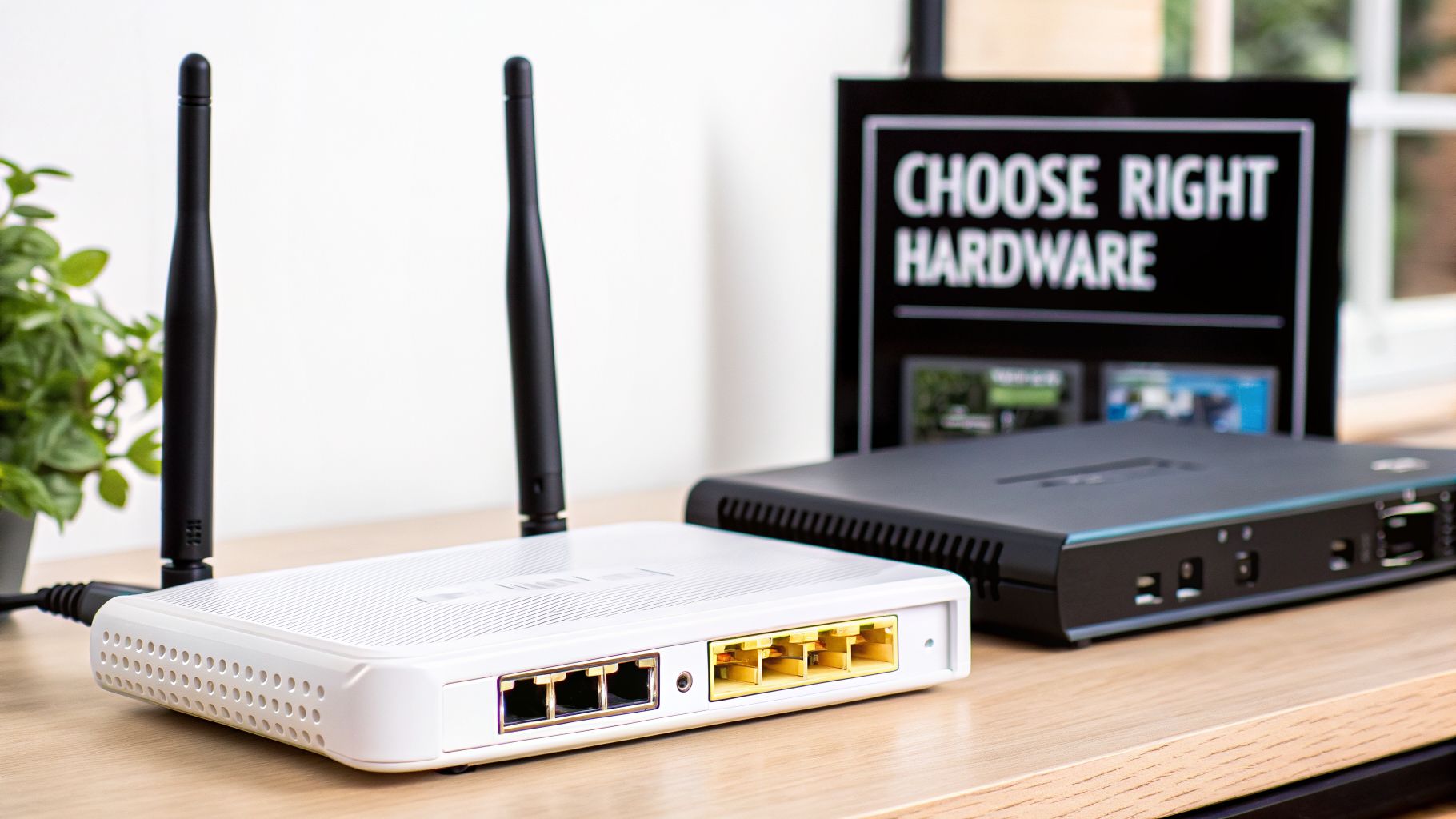
When you're building out a property-wide WiFi network for an MDU, student housing, or build-to-rent community, the hardware you pick is everything. A two modems one router setup is only as reliable as its components, and getting this part right from the start will save you countless headaches down the road. This isn't just about plugging in a few boxes; it's about building the very foundation of your community's digital experience.
The first major decision is choosing your modems, which goes hand-in-hand with picking your Internet Service Providers (ISPs). If you want true network resilience, the secret is technological diversity. Don't just get two of the same thing. Pairing modems that use completely different delivery methods is the smartest way to protect your entire property from widespread outages.
Think of it this way: if one road is closed for construction, you can still reach your destination by taking an alternate route.
The Power of ISP and Technology Diversity
Sure, using two cable modems from different companies offers a bit of a safety net, but what happens if the local cable infrastructure itself goes down? Your whole property is still out of luck. A far better strategy for MDUs and BTR communities involves pairing completely different technologies.
- Fiber + 5G Cellular: This is an incredible combination for real-world redundancy. If a construction crew accidentally cuts your physical fiber line, the 5G cellular connection is entirely separate and can take over instantly. Your residents won't even notice the hiccup.
- Cable + Fiber: This is another strong pairing that insulates you from provider-specific outages. If your primary fiber ISP has a network issue, the secondary cable connection is ready to handle the traffic.
- Dedicated Internet Access (DIA) + Broadband: For high-end build-to-rent communities or properties where downtime is not an option, a business-grade DIA line backed up by a standard broadband connection delivers an exceptional level of reliability.
If you need help navigating your local options, our guide on the best business internet service providers is a great place to start comparing.
The Non-Negotiable Core Your Dual-WAN Router
The absolute centerpiece of this entire system is the dual-WAN router. Let me be clear: this is not an optional upgrade. It's a mandatory piece of hardware for any two-modem network. Your standard router from Best Buy has only one WAN (Wide Area Network) port, which means it can only talk to one modem at a time.
A dual-WAN router, however, has at least two of these WAN ports. This is what lets you physically connect both modems and have the router manage both internet connections. It's the brain that handles the critical tasks of load balancing and automatic failover that make this strategy work. A helpful small business network setup guide offers some great advice on getting this foundation right from the beginning.
For a multi-dwelling unit (MDU), student housing complex, or build-to-rent community, a basic consumer router just won't cut it. Those devices are built for a family of four, not a high-density environment with hundreds of people trying to connect at once.
Choosing an Enterprise-Grade Router
When you're responsible for the WiFi in an entire building, you need a router that was built for that kind of heavy lifting. Enterprise-grade routers are designed specifically for high-density environments and come with the performance and features needed to manage a complex property-wide network effectively.
Stick with established brands known for their performance in commercial or hospitality settings. As you compare models, here are the key specs to focus on:
- Throughput Capacity: The router must be able to handle the combined speed of both your internet connections without becoming a bottleneck.
- Simultaneous Connections: Look for a device rated to support hundreds of concurrent users and their devices. This is a day-one reality in a fully occupied MDU.
- Advanced Management Features: Essential capabilities like VLAN support, robust security protocols, and detailed traffic monitoring are non-negotiable for managing a professional, property-wide network.
Picking a powerful and reliable dual-WAN router is the single most important hardware decision you will make. It’s what orchestrates everything behind the scenes to deliver a seamless, uninterrupted internet experience for your entire community.
Configuring Your Router for Failover and Load Balancing
You’ve got the right hardware—the modems are in place and you’ve picked a solid dual-WAN router. Now comes the part where we turn that collection of boxes into a truly resilient, high-performance network for your property. This is where the magic happens, as we tell the router exactly how to manage those two internet connections.
Essentially, you're setting the rules of the road for your internet traffic. You get to decide if you want an unbreakable safety net or if you want to combine both connections for maximum speed. This configuration is what transforms two separate internet lines into one smart, unified system for your entire MDU or student housing community.
The Ultimate Safety Net: Failover Configuration
Think of failover mode as your property's ultimate insurance policy. In this setup, you designate one ISP connection as your primary line and the other as its secondary or backup. Your dual-WAN router keeps a constant watch on that primary connection's health.
The second it detects a problem—whether it's an ISP-wide outage or a backhoe severing a line down the street—it instantly and automatically switches all your property's traffic over to the secondary modem.
- For Residents: This seamless transition means their video calls, online classes, and movie streams continue without a hiccup. They won't even know an outage occurred.
- For Property Operations: Your critical systems—security cameras, VoIP phones, smart locks, and management portals—stay online. This ensures business continuity and resident safety are never compromised.
Setting this up is usually quite simple in most dual-WAN router dashboards. You just need to assign the "primary" and "secondary" roles to the correct WAN ports. It’s a small step that provides the kind of always-on reliability that residents in modern communities now expect.
In places like senior living facilities, this level of uptime isn't just a convenience; it's a necessity. It’s what keeps telehealth services, family video calls, and emergency monitoring systems running. This is the core reason why failover redundancy is so powerful.
Managing Peak Demand With Load Balancing
While failover is your emergency plan, load balancing is all about optimizing performance every single day. Instead of letting one connection sit idle, load balancing actively distributes your internet traffic across both ISP connections at the same time.
This strategy prevents a single modem from becoming a bottleneck, which is especially important during peak usage hours in a high-density residential community.
Imagine the evening rush in a 300-unit apartment building when hundreds of people are all streaming, gaming, and working online. A load-balancing router can intelligently route traffic from even-numbered apartments through one ISP and odd-numbered apartments through the other. Just like that, you’ve effectively doubled your network's capacity and kept everyone happy.
Most good dual-WAN routers give you a few different ways to split the traffic:
- Weighted Round Robin: Lets you send more traffic to a faster or more reliable connection.
- Least Connection: Directs new traffic to the modem that is currently the least busy.
- Spillover/Overflow: Uses the secondary connection only after the primary one hits a specific bandwidth limit.
This intelligent distribution makes a massive difference in providing a consistently fast experience for everyone, which in turn drastically cuts down on those dreaded "the WiFi is slow" complaints. To really dig into the principles behind this, check out our deep dive on network redundancy.
Avoiding a Common Pitfall: Double NAT
Here's a critical technical hurdle you have to clear: Double NAT (Network Address Translation). This problem crops up when both your modem and your new dual-WAN router try to manage private IP addresses for your network. They end up fighting for control, which can break things like VPNs, online gaming, and peer-to-peer applications for residents.
The fix is to force your modems into a "dumb" state where they do nothing but pass the internet signal along. You want your powerful dual-WAN router to be the sole brain of the operation.
There are two common ways to do this:
- Bridge Mode: This setting on your modem turns off its routing functions completely. It simply passes the public IP address from your ISP directly to your router.
- IP Passthrough: This is a similar feature found on some modem/router combos. It achieves the same outcome by forwarding all traffic to a single designated device—in our case, the dual-WAN router.
Enabling one of these modes is a non-negotiable step for a clean, functional property-wide network. By handing full control to the dual-WAN router, you're setting yourself up for success. The demand for this level of control is clear in the market—the global wireless router market, valued at USD 19.14 billion in 2026, is projected to hit USD 48.76 billion by 2034, largely because of advanced features like these. You can see more data on the growing router market and its trajectory.
Designing a Network for Property-Wide Coverage
Once you’ve built a robust core with two modems and one router, you have the engine for your property’s network. But a powerful engine is only useful if it can deliver that connectivity across your entire community, reaching every unit, common area, and operational space without a hitch.
This is where the real work of designing a property-wide WiFi network begins. It’s about more than just plugging in hardware; it requires a thoughtful approach to network architecture to serve an MDU, BTR, or student housing community effectively. We're going to walk through how to structure your network to get the best performance, security, and management, ensuring a top-tier experience for both residents and staff. Getting this right is what separates a frustrating, unreliable network from one that adds genuine value, so it pays to design a network properly from the start.
This flowchart gives you a high-level look at how that central, dual-WAN router can be set to handle either failover or load balancing.
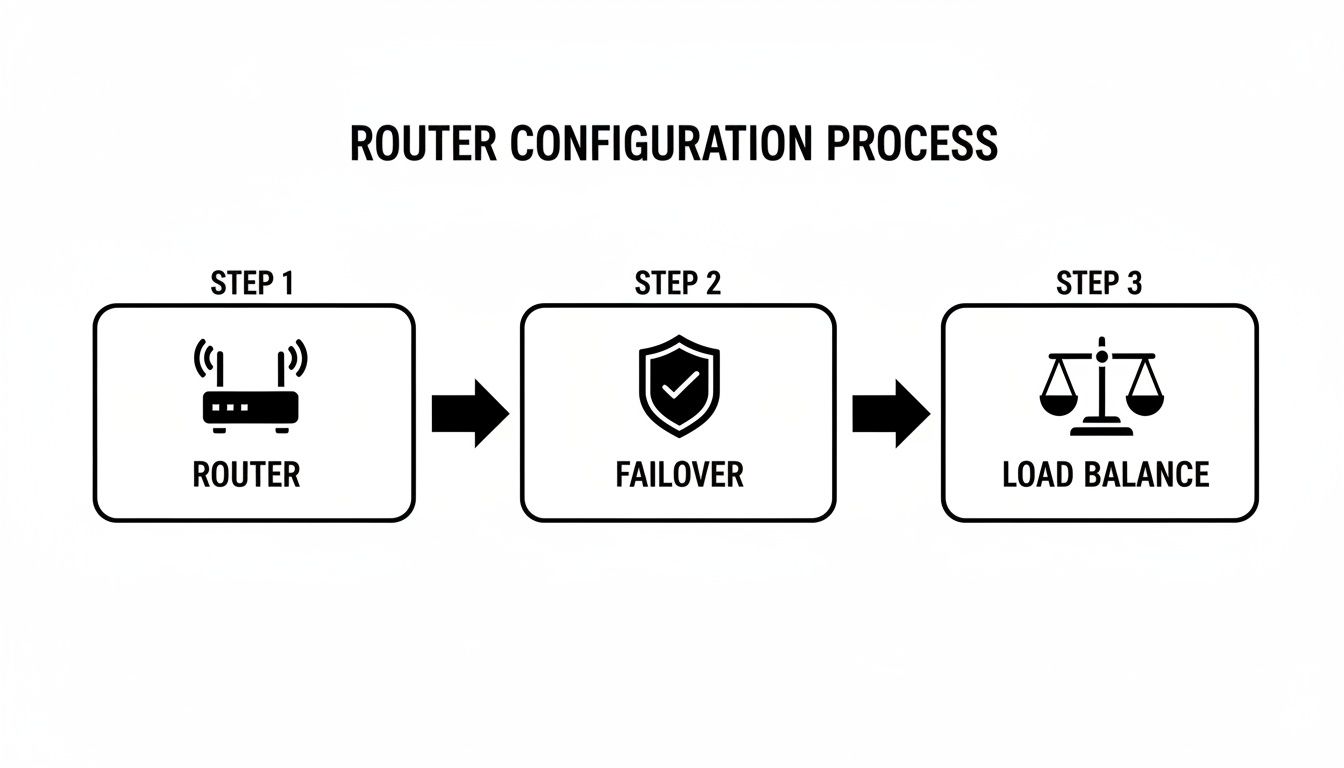
As you can see, the router acts as the traffic cop, directing data based on the rules you’ve established for uptime and bandwidth distribution across your property.
Segmenting Your Network with VLANs
In any multi-resident property—whether it’s a multi-dwelling unit (MDU), student housing, or a build-to-rent community—not all internet traffic is the same. You absolutely need a way to separate different traffic types for both security and performance. This is where Virtual Local Area Networks (VLANs) are a game-changer.
Think of VLANs as creating virtual "lanes" on your physical network. Even though all the data travels on the same cables and switches, traffic in one lane can't cross into another. This segmentation is fundamental for managing a modern property effectively.
For instance, you can’t have a spike in residents streaming 4K movies slow down your leasing office's critical software. By creating separate VLANs, you isolate these groups, ensuring one user’s activity doesn't degrade the experience for everyone else.
Key Takeaway: VLANs are the foundation of secure property-wide WiFi. They prevent a breach on a security camera from exposing resident data and stop a resident's laptop from accidentally gaining access to the private staff network.
Planning Your Property-Wide VLAN Structure
A well-thought-out VLAN strategy ensures every part of your property gets the connectivity it needs without creating security holes. Let’s look at a common structure I often recommend for multi-resident environments.
Here's how network segmentation can improve security and performance across a multi-resident community.
Example VLAN Structure for a MDU Property
| VLAN ID | VLAN Name | Assigned To | Purpose |
|---|---|---|---|
| 10 | Resident WiFi | Residents' personal devices | General internet access in units and common areas. |
| 20 | Staff Ops | Management and maintenance staff | Secure access to property management software, internal files. |
| 30 | Building IoT | Smart locks, thermostats, security cameras | Isolate smart building devices from other network traffic. |
| 40 | Guest WiFi | Visitors in amenity spaces, lobby | Provide public internet access, completely firewalled from internal networks. |
This type of segmentation is your first line of defense. It means a compromised smart thermostat or a guest’s infected phone can’t be used to launch an attack on more sensitive parts of your network, like resident data or operational systems.
Deploying Wireless Access Points
Your central two modems one router setup provides the raw bandwidth, but it's the Wireless Access Points (WAPs) that actually deliver the WiFi signal to your residents. You can't just stick a powerful router in a utility closet and hope it covers a 200-unit building—it simply won’t work.
Instead, you need a system of strategically placed WAPs connected back to your central router via network switches. These WAPs work in concert to create a seamless blanket of WiFi coverage. A professional site survey is crucial here to map out the ideal number and placement of WAPs, eliminating dead zones in units, hallways, fitness centers, and even outdoor pool areas.
This model is especially effective for commercial and multi-family developers looking to optimize bandwidth in high-density environments. The market reflects this trend, with edge routers—which are brilliant at aggregating traffic from multiple access points—capturing 42.35% of WiFi revenue. As the WiFi router market is projected to grow from USD 21.8 billion in 2026 to USD 45.6 billion by 2033, building robust, scalable solutions like this is quickly becoming the industry standard.
When to Partner with a Managed WiFi Provider
Getting a two modems one router setup running is one thing. But deploying and managing a high-performance network across an entire MDU, BTR, or student housing community? That’s a completely different challenge. The complexities can quickly spiral, overwhelming even the most tech-savvy property managers who are already spread thin.
This is where the conversation shifts from a DIY project to a strategic business decision. Hiring a managed WiFi provider isn't just about handing off a technical task—it's an investment in resident satisfaction, operational stability, and the long-term value of your property.
The Hidden Workload of a DIY Property Network
The initial setup is just the tip of the iceberg. A property-wide network demands constant care and attention to run securely and efficiently. That day-to-day management can easily become a major drain on time and resources that you should be investing back into your residents.
Think about the real-world risks. Just one misconfigured VLAN could accidentally give residents access to your private staff network, opening a massive security hole. Forgetting to apply a critical security patch could leave your entire property vulnerable to an attack. These aren't just hypotheticals; they're the real headaches that come with network management.
Consider the never-ending task list:
- Proactive Security Monitoring: Constantly scanning for threats and making sure every single network device is patched and up-to-date.
- Performance Optimization: Keeping an eye on bandwidth usage, tweaking load-balancing rules, and fixing slowdowns before residents start calling.
- Hardware Lifecycle Management: Tracking aging equipment, budgeting for upgrades, and swapping out failed switches or access points.
- 24/7 Troubleshooting: Being on call for outages or resident connectivity problems, no matter the time of day or night.
This cycle of maintenance and support can quickly turn into a full-time job for on-site staff.
For many property owners, the "aha" moment comes after spending hours on the phone with an ISP or trying to figure out why half a building suddenly lost its internet. You quickly realize the operational cost of going it alone far outweighs the perceived savings.
Embracing Network-as-a-Service (NaaS)
Partnering with a professional brings in a model known as Network-as-a-Service (NaaS). This approach fundamentally changes how you provide internet to your community. Instead of a huge upfront capital investment and a constant management headache, you get a completely managed solution for a predictable monthly fee.
With NaaS, the provider takes care of the entire technology lifecycle. This frees you and your team to focus on what you do best: running the property and creating an excellent resident experience. The benefits are both immediate and substantial.
Key Advantages of a Managed Solution
| Feature | DIY Approach | Managed NaaS Approach |
|---|---|---|
| Initial Cost | High upfront investment in routers, switches, and access points. | Zero-down installation options roll costs into a predictable monthly fee. |
| Support | Reactive. You or your staff have to diagnose and fix problems as they happen. | Proactive 24/7 monitoring catches and resolves issues, often before they impact residents. |
| Expertise | Relies on in-house knowledge, which can be limited. | You gain access to a team of certified network engineers and security specialists. |
| Upgrades | Requires a new capital budget and project to replace aging technology. | Technology refreshes and upgrades are built-in, so your network never becomes obsolete. |
By offloading everything from the initial installation to ongoing support and future upgrades, you transform an unpredictable operational burden into a stable, strategic asset. If this sounds like the right path for your property, the next step is learning how to choose from the best managed WiFi providers.
Ultimately, a managed partnership ensures your property's internet isn't just working—it's exceptional. It delivers the kind of reliability and performance modern residents expect, which directly leads to higher satisfaction, better retention, and a healthier bottom line.
Common Questions About Dual-Modem Setups
When property managers start exploring a two modems one router network, they always have smart, practical questions about how it really works for their community. Let's get right into the most common queries we hear from managers of MDUs, student housing, and build-to-rent properties.
Will Two Modems Literally Double My Internet Speed?
This is a great question and a common point of confusion. The short answer is no—a dual-modem setup won't make a single resident's internet connection twice as fast. A load-balancing router doesn't magically merge two 1 Gbps connections into a single 2 Gbps firehose for one laptop.
What it actually does is much more valuable for a whole community. It intelligently splits the traffic load across both internet service providers. Think of it like opening a second checkout lane at a busy grocery store.
The router might route traffic for residents in one building to ISP A, while another building uses ISP B. The real win here is a massive increase in the total network capacity for the entire property, preventing slowdowns for everyone.
By dividing the load, you effectively prevent the traffic jams that cause buffering and lag. This strategy is all about elevating performance for the whole community, not just one user.
Can I Use Any Router and Any Two Modems?
Not at all—the hardware you choose is absolutely critical here. You must use a router specifically designed with dual-WAN (or multi-WAN) capability. Your standard off-the-shelf router only has one WAN port, so it simply can't handle two internet sources.
When it comes to the modems, a key part of the strategy is using different technologies from two separate ISPs. The gold standard is pairing a primary fiber connection with a backup from a completely different source, like a 5G cellular connection.
Why does this matter so much? Imagine a construction crew accidentally severs the main fiber line in your neighborhood. If your backup modem is also from a cable provider using those same physical lines, your whole property goes dark. A separate cellular network, however, will keep you online and ensure true uptime.
Is Managing This Network Difficult for a Property Manager?
The initial setup is definitely a job for a professional. It involves very specific configurations, like putting modems into the correct mode, programming the dual-WAN router for either failover or load balancing, and building out a secure network architecture.
But the real work begins after installation. The day-to-day management is where the time and expertise really come in.
- Proactive security monitoring and threat prevention
- Applying critical firmware updates to all devices
- Troubleshooting resident connectivity issues
- Optimizing network performance as usage patterns change
This is exactly why most properties partner with a managed WiFi provider. A dedicated team handles everything from the initial design to 24/7 support, taking the entire technical burden off your on-site staff so they can focus on residents.
How Does This Improve My Property's Value and NOI?
In today's market, fast, reliable internet isn't an amenity—it's a utility, just like water or electricity. A two modems one router configuration directly solves the top two complaints property managers hear about internet: slow speeds during peak hours and total outages.
When you eliminate those common frustrations, you see an immediate boost in resident satisfaction. Happier residents lead to better online reviews and higher renewal rates. A property that's known for its flawless digital experience is a powerful magnet for new, high-quality renters.
Ultimately, providing a superior internet service allows you to command a competitive edge in the market. This strengthens your property's brand and contributes directly to a healthier Net Operating Income (NOI).
Ready to deliver a flawless internet experience that boosts resident satisfaction and your NOI? Clouddle Inc specializes in designing, installing, and managing high-performance WiFi networks for MDU, student housing, and build-to-rent communities. Learn more about our Network-as-a-Service solutions.


0 Comments