
Seniors face real threats online every day. Scammers target older adults with phishing emails, fake websites, and malware designed to steal money and personal information. At Clouddle, we’ve seen how network security for seniors requires a different approach than general cybersecurity advice.
This guide covers the threats seniors encounter and the practical steps to stay protected.
What Scams Are Seniors Actually Facing
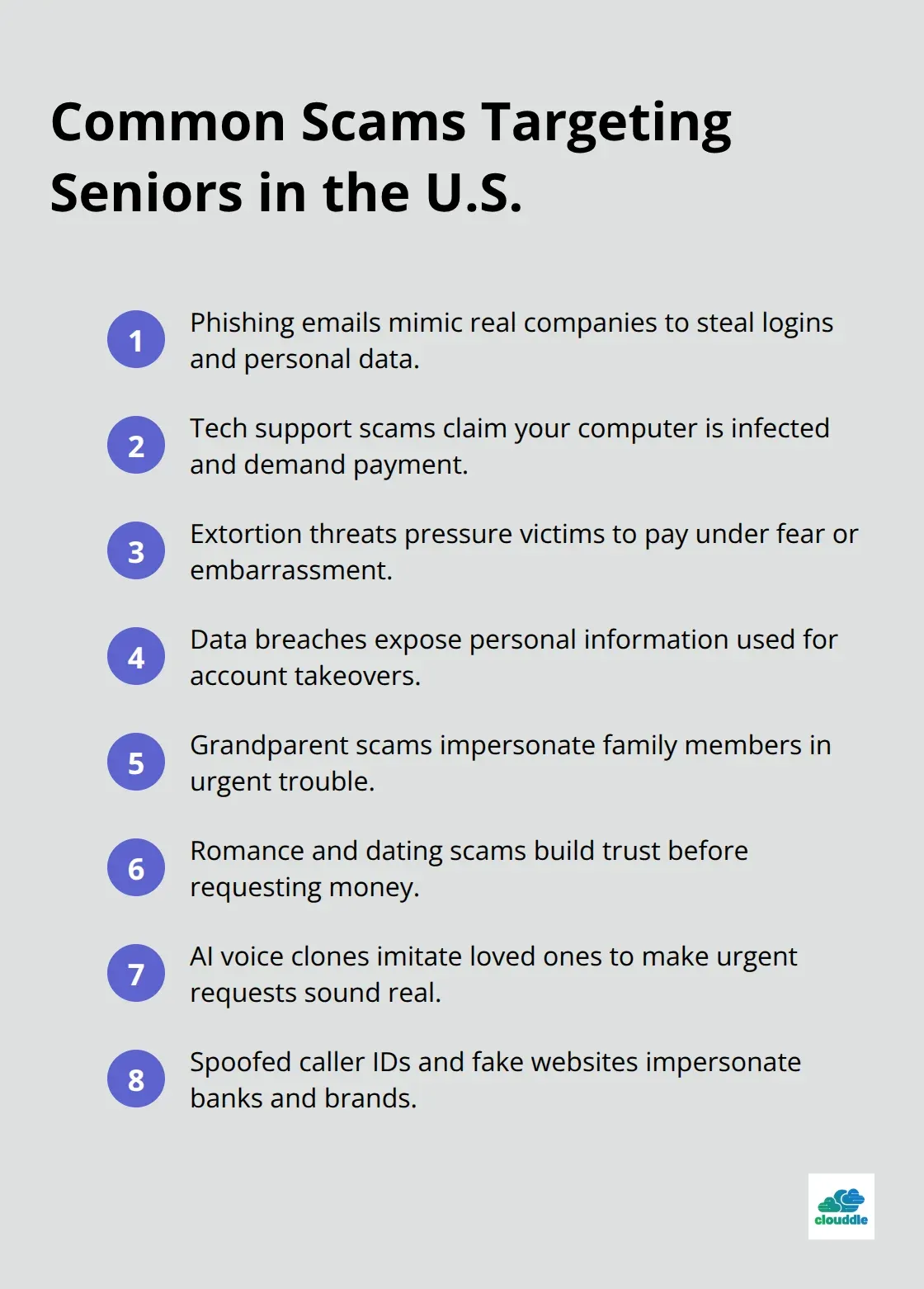
Seniors lose money to scams at an alarming rate. According to the FBI IC3 2024 report, adults aged 60 and older face significant internet fraud threats. Phishing remains the top online crime targeting older adults, with tech support scams, extortion, and data breaches following closely behind. Scammers deliberately target seniors because they perceive older adults as having accumulated wealth and being more trusting by nature.
The Evolution of Criminal Tactics
Criminals now use sophisticated tactics that go far beyond basic email tricks. They spoof caller IDs to make calls appear to come from your bank or trusted organizations, create fake websites that mirror legitimate companies perfectly, and even use AI voice clones to impersonate family members or friends. When a scammer calls claiming your bank account is compromised or your device is infected, the pressure to act immediately clouds judgment. The key difference between seniors and younger adults isn’t technical skill but rather the psychological manipulation tactics that work most effectively on people who grew up in an era of greater trust.
How Urgency Becomes a Weapon
Urgency-driven scams pressure you to act now, creating artificial time pressure that prevents careful thinking. A caller might claim your bank is compromised, your Social Security number has been stolen, or your computer is infected with malware. The moment you feel that panic, you become vulnerable to instructions to wire money, purchase gift cards, or provide personal information. Grandparent scams work differently but with equal effectiveness-they pose as a family member in trouble and request immediate money transfers. Romance and online dating scams prey on loneliness and the desire for connection, gradually building trust before requesting money for emergencies or travel.
Breaking the Scam Cycle
The critical mistake most victims make is responding immediately to the message or call. Instead, hang up on unexpected calls and verify requests independently through official channels using phone numbers from trusted sources, not numbers provided in the suspicious message itself. Never click links in emails, texts, or social media posts from unfamiliar senders. Type company URLs directly into your browser instead. Account takeover fraud, where criminals impersonate financial institutions to gain access to accounts, highlights why vigilance around bank-related communications matters so much. Scammers also create duplicate fake social media accounts and exploit friend requests from people who seem familiar but are actually criminals using stolen photos.
Understanding these threats is the first step, but knowing what scams exist means little without concrete defenses in place. The next section covers the essential security practices that actually stop these attacks before they succeed.
Building Defenses That Actually Work
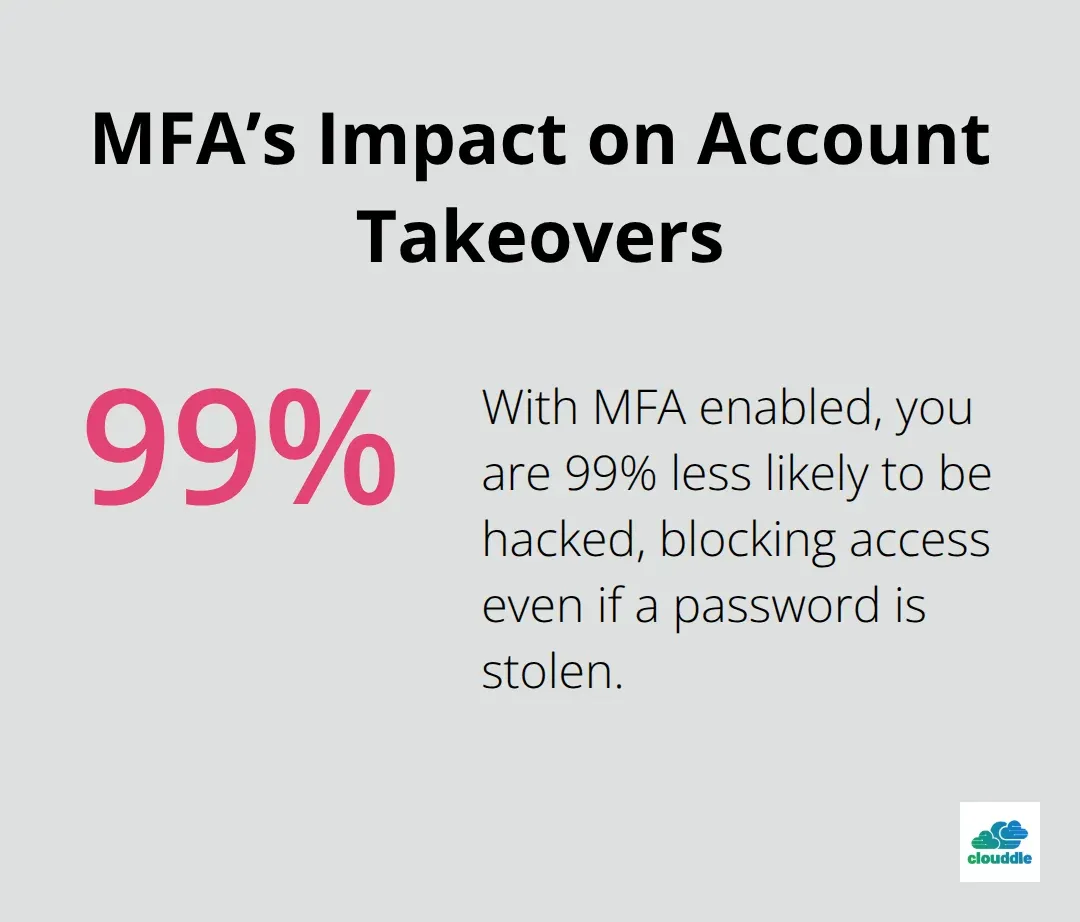
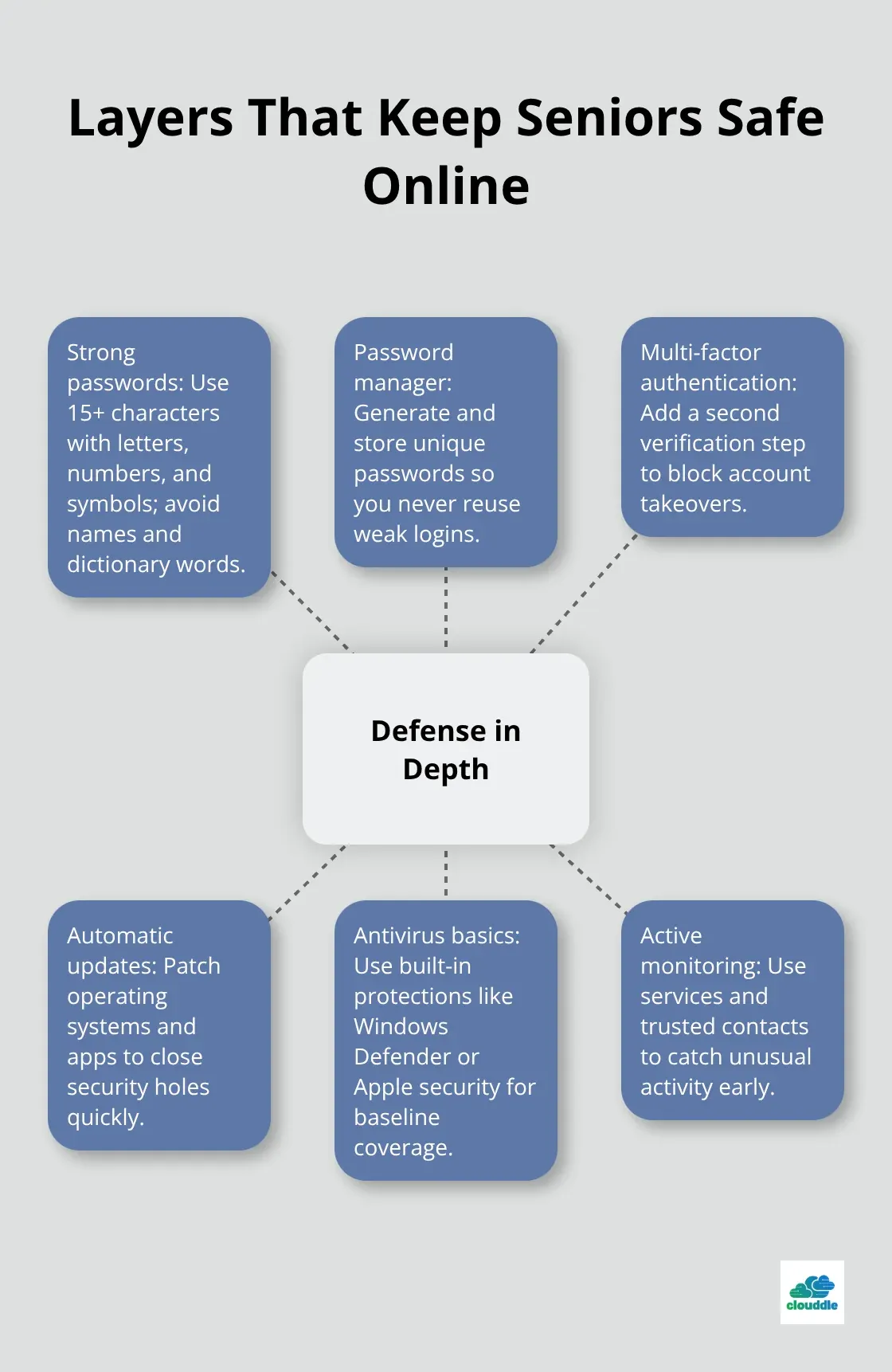
Knowing the threats is worthless without concrete action. Passwords remain the first line of defense, yet most seniors use weak ones that criminals crack in seconds. A strong password needs at least 15 characters mixing letters, numbers, and symbols. Avoid birthdays, names, or dictionary words entirely. The real problem is remembering complex passwords across dozens of accounts, which is why a password manager becomes non-negotiable. Services like Bitwarden or 1Password generate and store unique passwords securely, eliminating the temptation to reuse the same weak password across multiple sites. Once passwords are strong, add a second lock through multi-factor authentication on every account that offers it, especially email and banking platforms. MFA requires a second verification method beyond your password, such as a code from your phone or biometric fingerprint. This single step makes you 99% less likely to be hacked because criminals cannot access your accounts even with your correct password.
Keep Your Devices Current
Software updates patch security holes that criminals actively exploit. Older devices running outdated operating systems become targets for malware that spreads silently, stealing data for months before you notice anything wrong. Enable automatic updates on every device you own, including phones, tablets, computers, and even smart home devices. Combine this with reputable antivirus software, which provides real protection without slowing down your system. Free options like Windows Defender on Windows devices or built-in security on Apple devices offer adequate protection for most seniors. Configure your devices to auto-lock after five minutes of inactivity and require a password to reactivate, limiting damage if someone gains physical access. Secure your home Wi-Fi network by changing the default username and password on your router to something strong and unique. Using default router credentials is one of the easiest ways for criminals to access everything connected to your home network.
Spot Danger Before It Strikes
Safe browsing starts with skepticism toward unexpected messages. Phishing emails look legitimate because criminals copy exact logos and layouts from real companies. Hover over links without clicking to see the actual URL, which rarely matches the company name in the message. Never open attachments from unknown senders, especially files ending in .exe or .zip. Pop-up messages claiming your device is infected are scams designed to trick you into downloading malware. Close these windows without clicking anything inside them. When in doubt about any communication, hang up or close the message, then contact the company directly using a phone number or website from your own research, not from the suspicious message.
Act Fast When Suspicion Strikes
Scammers count on panic and urgency to override your judgment, so pausing for 30 seconds to verify independently stops most attacks cold. If you suspect you’ve been scammed, contact your local police, notify your financial institution, and report the incident to the FTC immediately. These steps create an official record and help authorities track criminal patterns. The faster you respond to a suspected breach, the better your chances of limiting financial damage and protecting your identity. Your financial institution can freeze accounts, monitor for fraudulent activity, and guide you through recovery steps. Taking action transforms you from a passive victim into someone actively protecting your assets and information.
These defenses form a solid foundation, but they only work if you maintain them consistently. The next section explores the tools and resources that make these practices easier to implement and sustain over time.
Tools and Resources for Senior Network Security
Password managers eliminate the weakest link in most security setups: the human tendency to reuse weak passwords across accounts. Services like Bitwarden, 1Password, and Dashlane generate complex passwords automatically and store them behind a single strong master password, removing the burden of memorization entirely. The math is straightforward-a 16-character password mixing uppercase, lowercase, numbers, and symbols would take a standard computer roughly 200 years to crack through brute force. Password managers also detect when you reuse passwords across sites and alert you to change them immediately, catching mistakes before criminals exploit them. Beyond password storage, reputable password managers include breach monitoring that notifies you when your email appears in a data breach, giving you time to change compromised passwords before criminals access your accounts. Free options like Bitwarden offer solid protection without unnecessary complexity, while paid tiers add features like emergency access for trusted family members to retrieve passwords if something happens to you.
Antivirus Software That Doesn’t Slow You Down
Antivirus software remains essential but requires the right choice. Windows Defender, built into Windows devices, and Apple’s native security provide adequate protection for most seniors without slowing down devices or demanding constant updates. Paid options like Norton and McAfee offer additional features like identity theft monitoring and VPN services, but they often bundle unnecessary extras that complicate setup. The FBI recommends focusing on keeping your operating system and applications updated automatically rather than relying solely on antivirus software, since many modern threats exploit unpatched vulnerabilities before antivirus companies even develop defenses. Combine automatic updates with antivirus protection and you cover the technical foundation.
Monitoring Services That Catch Fraud Early
For families concerned about a senior’s online safety, monitoring services like EverSafe provide alerts when unusual account activity occurs, helping catch fraud before significant damage happens. Morgan Stanley offers a trusted contact feature for their accounts, allowing a designated family member to receive alerts about suspicious activity without gaining direct account access. These tools work best when combined with the strong passwords and two-factor authentication covered earlier, not as replacements for those practices. The combination of technical defenses and active monitoring creates multiple layers that stop criminals at different stages of an attack.
Final Thoughts
Network security for seniors isn’t about fear or complexity-it’s about taking concrete steps that stop criminals before they succeed. Strong passwords with two-factor authentication, automatic software updates, and skepticism toward unexpected messages form the foundation. Password managers remove the burden of memorization, while antivirus software and monitoring services add extra layers of protection.
The most important step is starting now rather than waiting for a breach or close call to implement these protections. Enable automatic updates on every device today, set up two-factor authentication on your email and banking accounts this week, and download a password manager to generate strong passwords for your most important accounts. These actions take hours, not days, and they protect you for years to come.
If you manage properties or rental communities, network security for seniors extends beyond individual residents to the infrastructure that supports them. At Clouddle, we provide seamless, high-speed internet and smart home solutions designed for modern living spaces, ensuring your residents have both connectivity and security. Ongoing protection means staying informed about new threats and refreshing your defenses regularly through monthly breach alerts, quarterly security reviews, and conversations with family members about the scams targeting older adults.
For more information visit us at hppts://www.couddle.com or email at Solutions@clouddle.com

0 Comments